
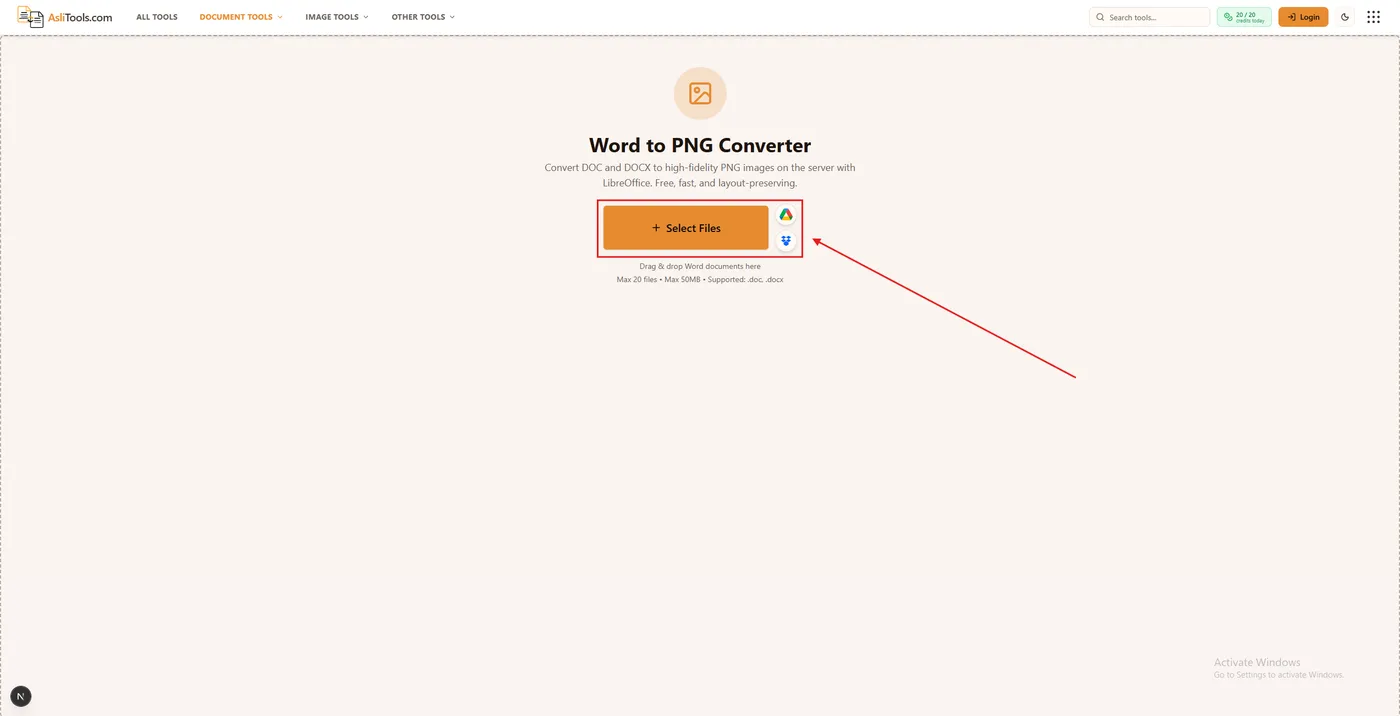
Upload a DOC or DOCX file to a Word to PNG converter, convert on the server with layout-preserving rendering, and download each page as a PNG image (or a ZIP if there are multiple pages). That is the fastest way to turn a Word document into a fixed image without installing Microsoft Word.
People often search for how to convert Word to JPG or convert a Word document to an image — the goal is the same: a screenshot-like page that will not reflow. PNG is the lossless format that keeps text sharp.
Why you'd want a PNG instead of a Word file
A Word document is editable and convenient for authors, but it is a poor share format when the recipient only needs to see the page:
- Formatting can shift across Word versions, fonts, and devices.
- Many social platforms and forums only accept image uploads.
- Embedding a page on a website or slide deck is simpler with a PNG than with a downloadable .docx.
- A PNG freezes fonts, tables, and spacing so the preview looks identical everywhere.
Step-by-step — Convert Word to PNG in your browser
Use the free Word to PNG tool on Asli Tools. Here is the full process.
1. Open the converter and upload your file. Go to the Word to PNG converter. Click Upload (or drag and drop) and choose a .doc or .docx file. Both legacy DOC and modern DOCX are supported.
2. Choose pages and resolution (optional). Leave “All Pages” and the default DPI for a balanced full-document export, or select a page range and raise DPI if you need sharper text on a large display.
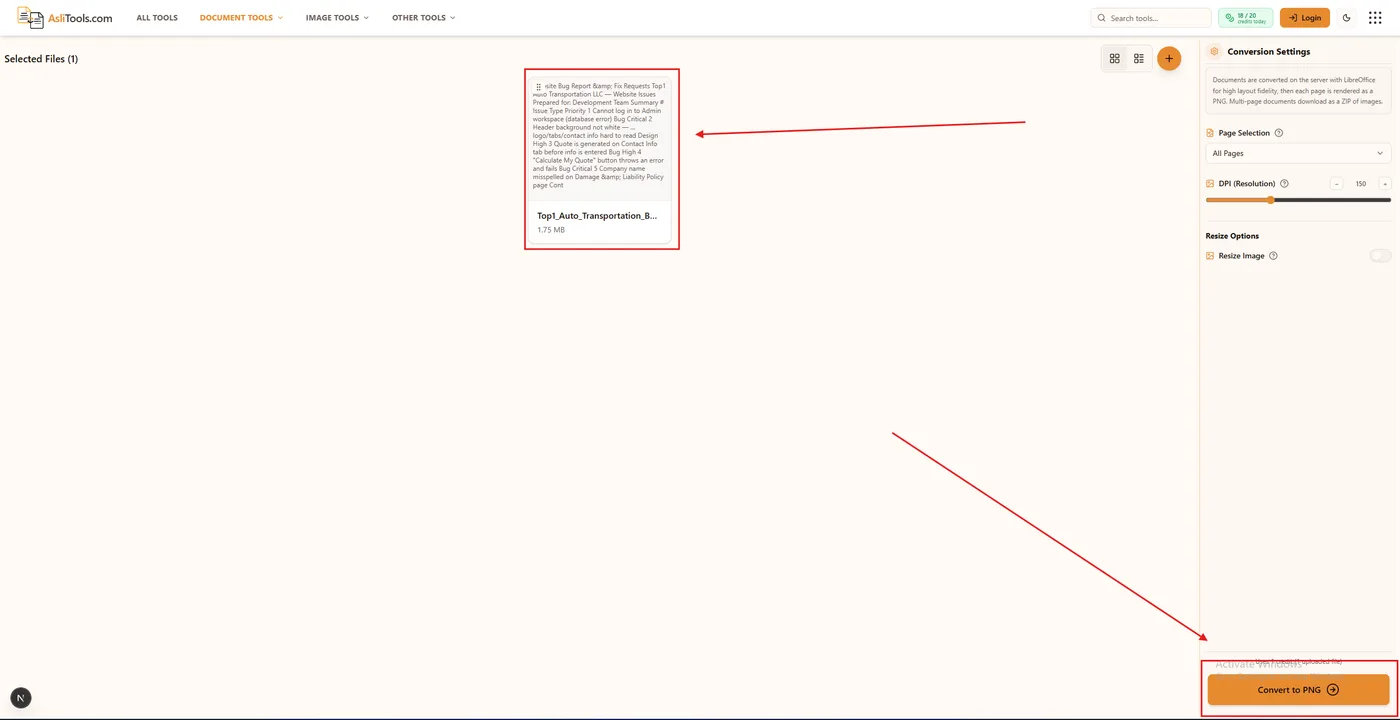
3. Convert and download. Click Convert to PNG. The server uses LibreOffice to preserve layout, then renders each selected page to PNG. Download a single image, or a ZIP when multiple pages are produced. No watermark is added.

DOC vs. DOCX — does it matter which one you have?
DOC is the older binary Word format (roughly Word 97–2003). DOCX is the modern Office Open XML format. Internally they are different, but this converter accepts both through the same LibreOffice-backed pipeline. You do not need a separate “doc to PNG” tool — word doc PNG and DOCX PNG conversion work the same way.
Is it safe to convert a document with personal information?
Files are uploaded only to convert them. Asli Tools processes the document on the server for that request and does not keep files for long-term storage. That is different from “client-side only” browser tools that never upload at all — Word layout fidelity for DOC/DOCX requires a real document engine (LibreOffice) on the server.
If your policies require air-gapped processing (legal holds, classified material, or client contracts that forbid any upload), convert locally in Microsoft Word (export or print to PDF, then to image) instead. For everyday resumes, social posts, and previews, short-lived server conversion with no long-term retention is the usual trade-off for accurate pages.
Common problems and fixes
Blurry image. Raise DPI (try 200–300) and convert again. Low DPI is fine for small previews but softens fine print on large screens.
Only one page when you expected more. Check page selection (All Pages vs first page only). Multi-page Word files download as a ZIP of PNGs — unzip to see every page.
Fonts look different from Word on your PC. LibreOffice substitutes missing fonts when the original faces are not installed on the server. Embed common fonts in the document before upload, or stick to widely available typefaces (Calibri, Arial, Times New Roman).
Header seems to create “extra” pages. Repeating headers and footers are part of each printed page. A two-page resume with a header image still exports as two PNGs (one per page), which is expected print layout — not a bug.
FAQ
Is Word to PNG conversion free on Asli Tools?
Yes. Free with fair daily limits and no watermark. Sign in for unlimited free access.
Can I convert Word to JPG instead?
This tool exports PNG (lossless). Searches for “how to convert Word to JPG” usually want a fixed page image — PNG is better for text. You can convert the PNG to JPG afterward with an image converter if a JPEG is required.
What if I need an image back to Word?
Use the PNG to Word converter for image-to-document conversion.
Convert your document now
Ready to export? Open the Word to PNG converter, upload your DOC or DOCX, and download clean PNG pages in seconds. Prefer the reverse direction? Start from the PNG to Word tool.