

Convert your .txt files to fully editable Word documents instantly — no sign-up, no software, and no cost. This guide walks you through exactly how a TXT to Word converter works, when to use one, and why doing it in your browser keeps your text completely private.
What is a TXT to Word converter?
If you have ever opened a plain text file and wished it looked more professional, you already know the problem. TXT files are stripped of everything — no bold text, no headings, no paragraph styles. They are simple, raw, and completely unformatted.
A TXT to Word converter solves this in one step. You upload your plain text file, and the tool transforms it into a proper Microsoft Word document (DOCX or DOC) that you can open, edit, and share just like any other Word file. No formatting is forced on you. You keep full control — you just gain a much more usable file.
This is exactly what the free TXT to Word tool on Asli Tools does, and it does it entirely inside your browser without sending your file anywhere.
Why would you need to convert TXT to Word?
More often than you think. Here are real situations where people reach for a converter like this.
- You saved notes in Notepad and now need a proper document. Windows Notepad saves everything as
.txt. If you drafted a report, a letter, or an assignment in Notepad and need it in Word format for submission or sharing, you need a converter. - You downloaded data or content that came as a
.txtfile. Software exports, email backups, code outputs, subtitles, and log files often arrive as plain text. Converting them to Word makes them readable and editable in a familiar environment. - You received a
.txtfile from someone and need to edit it professionally. Word gives you formatting, spell check, track changes, and proper printing layout. A.txtfile gives you none of that. - You want to preserve your text before adding formatting. Some writers draft in plain text to avoid distractions, then convert to Word when it is time to polish the document.
How to convert TXT to Word online for free
Using the Asli Tools TXT to Word converter takes under a minute. Here is the full process.
1. Open the tool. Head to the TXT to Word converter. No account creation, no login prompt — the tool is ready immediately.
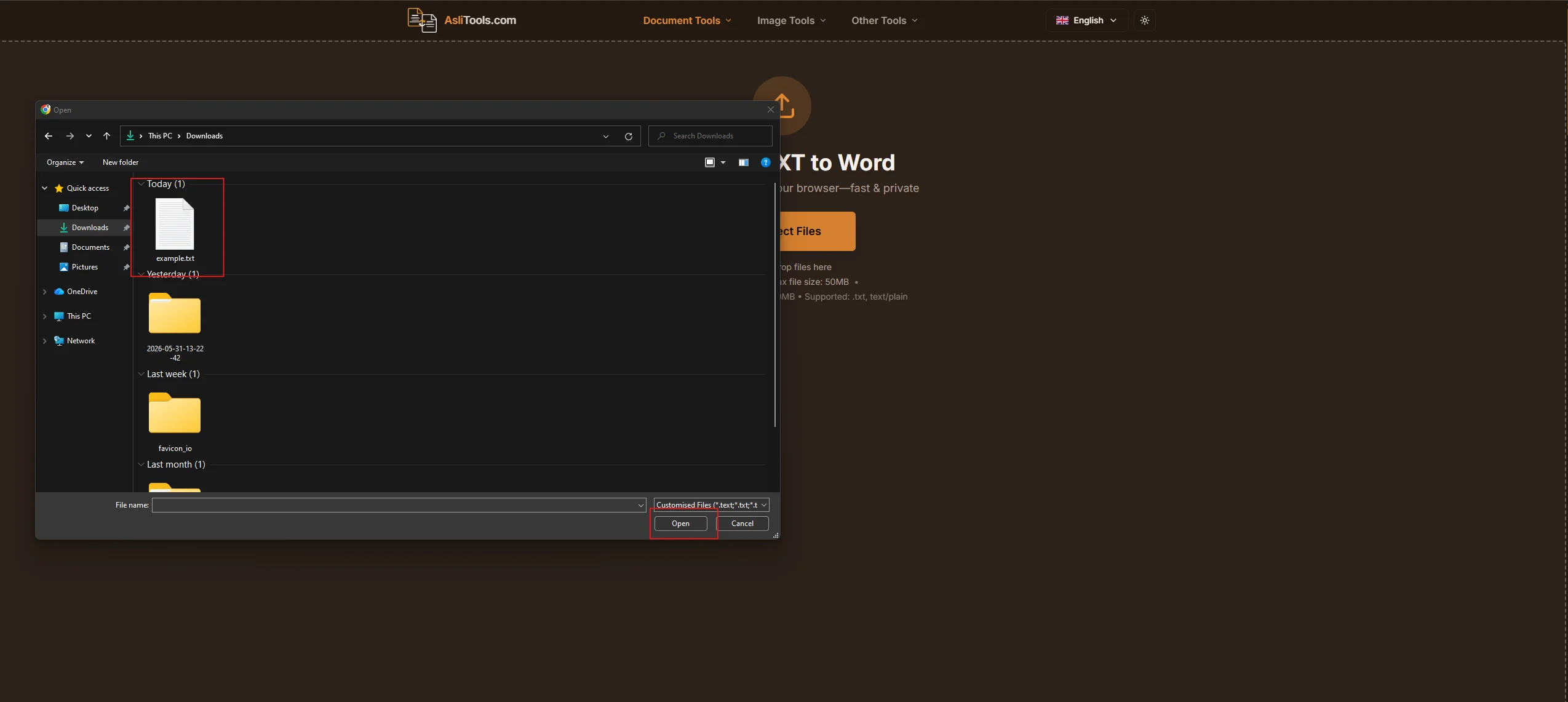
2. Upload your TXT file by clicking the upload button or dragging and dropping your .txt file directly onto the page. You can also paste text directly if you do not have a file ready.
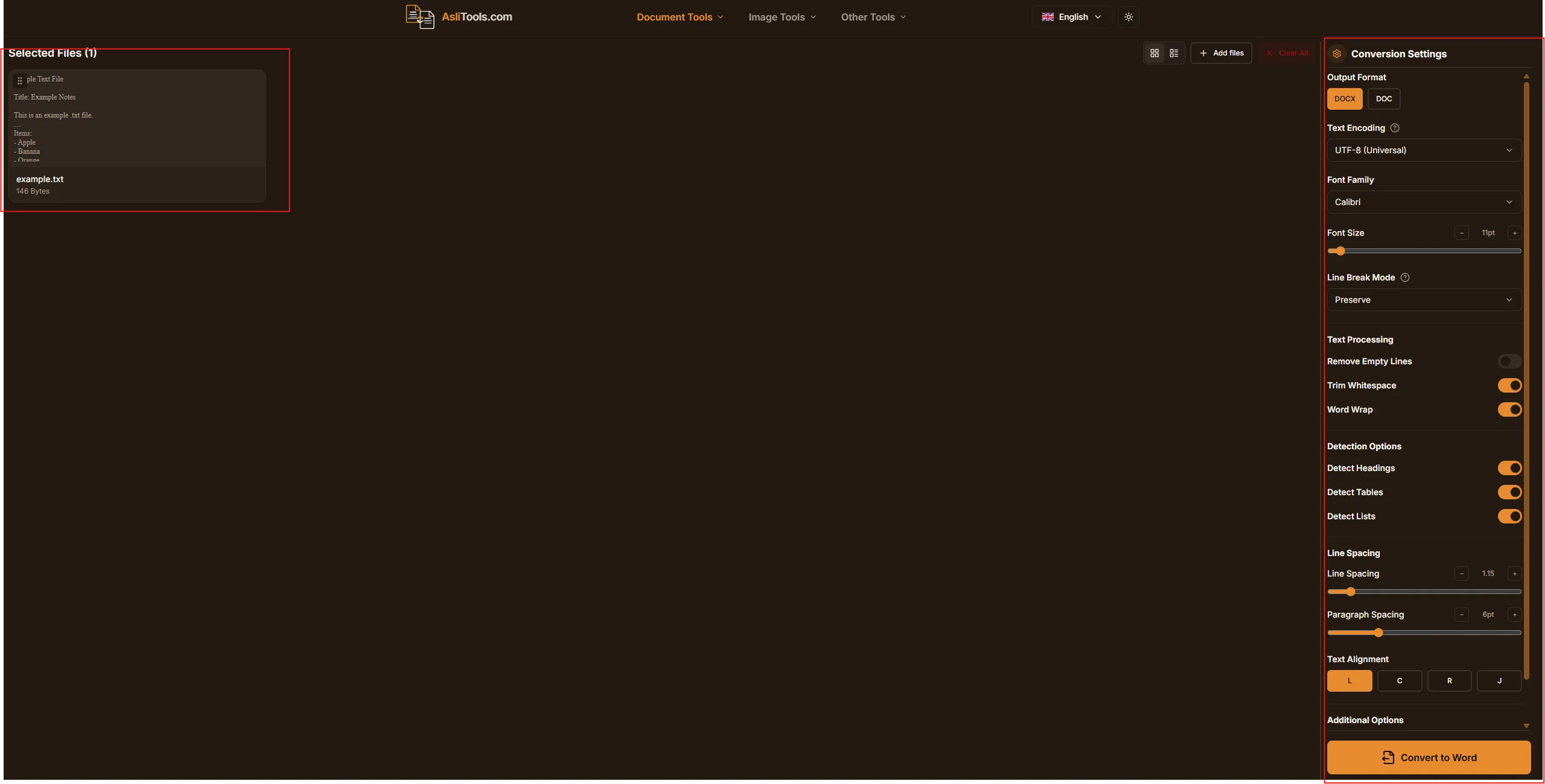
3. Choose your output format. Select DOCX for modern Word versions or DOC for older compatibility. DOCX is the recommended choice and works with Word 2007 and later, Google Docs, LibreOffice, and Pages on Mac.
4. Click Convert. The conversion happens instantly in your browser. Nothing is sent to a server — your text stays on your device the entire time.
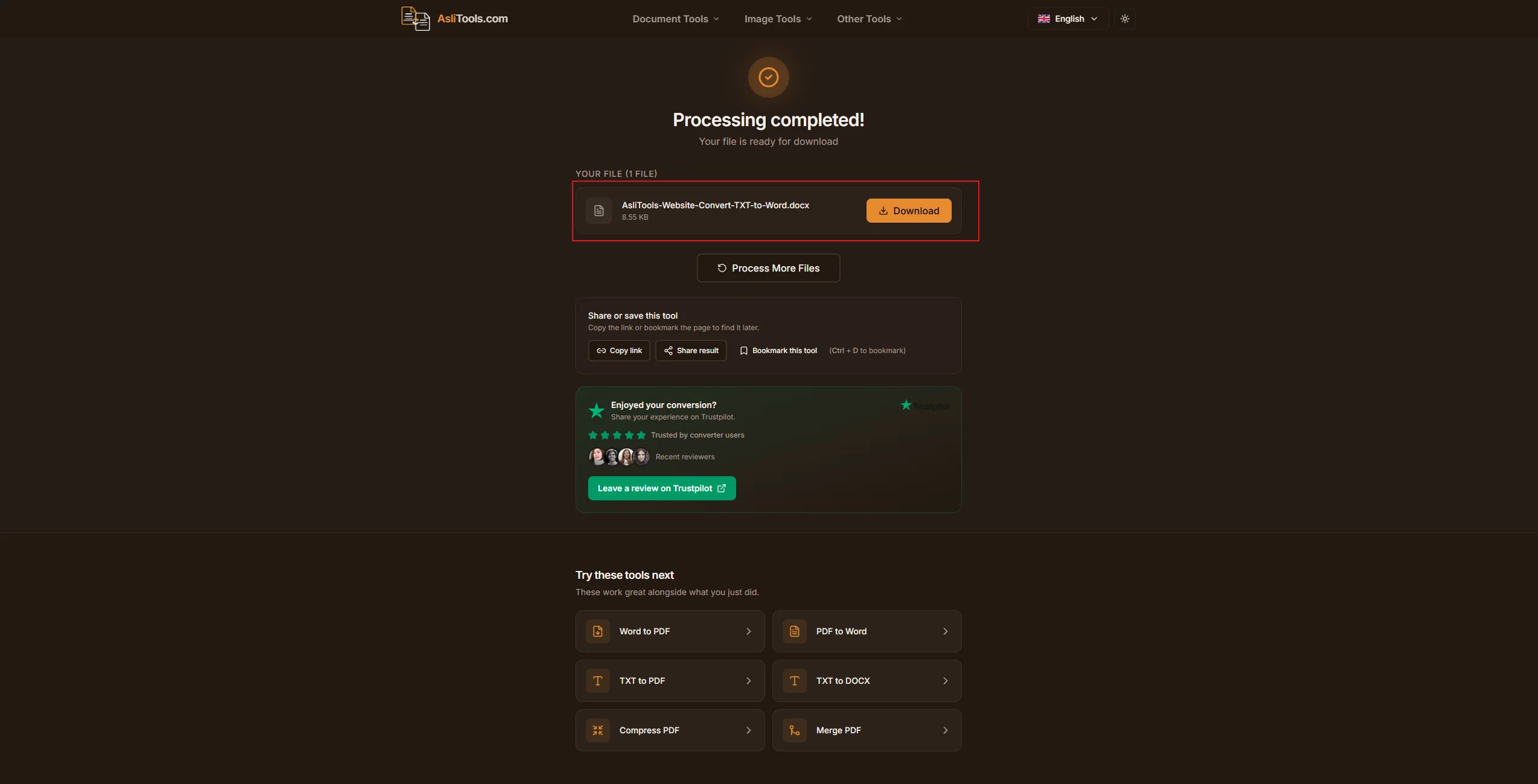
5. Download your Word file. Click the download button and your .docx file saves to your device immediately.
That is the complete process — five steps, under sixty seconds.
Is it really free? What is the catch?
There is no catch. The Asli Tools TXT to Word converter is completely free to use: unlimited conversions, no file size tricks, no premium tier required for basic use, and no watermarks added to your document.
The tool is browser-based and runs on your device, which means Asli Tools does not need expensive server infrastructure to process your files. That is what makes the free model sustainable without hidden costs or annoying limitations.
TXT to DOCX vs TXT to DOC: which should you choose?
This is a common question, and the answer is almost always DOCX unless you have a specific reason to use the older format.
DOCX is the current standard. It has been the default Microsoft Word format since 2007. It is smaller in file size, better supported across all modern platforms, and more stable for complex formatting. If someone asks you to send a Word document today, they expect a .docx file.
DOC is the legacy format from Word 97 to 2003. It is still supported by Microsoft Word and most other editors, but it carries older limitations. You would choose .doc only if you are sharing the file with someone using very old software that cannot open .docx, which is increasingly rare.
For almost every use case — including school assignments, business documents, resumes, reports, and collaborative editing — choose DOCX.
What happens to your file during conversion?
This is where Asli Tools is different from most other converters online.
Most TXT to Word tools upload your file to a remote server, convert it there, then send the result back to you. Your text passes through a third-party system you know nothing about. For most files that is fine, but for anything sensitive — personal writing, business data, or private notes — it is a real concern.
Asli Tools processes the conversion entirely within your browser. Your file never leaves your device. There is nothing to intercept, nothing stored on a server, and no transmission to a third party. The conversion is local and private by design.
TXT to Word vs renaming the file: why you should not just change the extension
A common tip that floats around online is to simply rename your .txt file to .docx. Do not do this.
Changing the file extension does not change the file format. The data inside stays as plain text. When Word tries to open it as a .docx, it reads the raw text as the XML structure that .docx files use internally, and either displays garbage or throws an error. In the best case, Word detects the mismatch and asks you how to open it. In every case, you lose proper access to the content.
A proper converter re-encodes the content into the actual DOCX XML structure — including paragraphs, runs, styles, and all the internal parts that make a real Word document. That is what makes the output genuinely editable and compatible. Renaming is not conversion.
When to use TXT format and when to switch to Word
Plain text files are genuinely useful in many situations. They are lightweight, universally readable, and last forever without software dependency. Programmers, writers, and developers use .txt files constantly.
But they have clear limitations in professional or collaborative contexts:
- You cannot format text with headings, bold, or italics.
- You cannot add tables, images, or page layouts.
- Spell check and grammar tools work inconsistently in plain text editors.
- Sharing a
.txtfile in a professional setting looks informal and unpolished.
Switching to Word through a free converter takes seconds and opens all of these capabilities without retyping a single word.
Why use Asli Tools for TXT to Word conversion?
There are many converters online. Here is what makes this one worth using.
- Your privacy is protected by design. Browser-based processing means your files stay on your device. This is not a policy promise — it is how the tool is built.
- No sign-up required. You do not create an account, verify an email, or share personal information. You arrive, convert, and leave.
- No watermarks or limitations. Your downloaded Word file is clean and unmodified. No branding, no "converted with" text, and no restricted features behind a paywall.
- Fast and reliable. The tool is optimized for speed. Most conversions finish before you move your hand back to the keyboard.
- Works on any device. Desktop, laptop, tablet, or phone — the tool runs in your browser without installation.
Try the free TXT to Word converter on Asli Tools
If you have a plain text file sitting on your device that needs to become a real Word document, there is nothing standing between you and that conversion. No software to install, no account to create, no payment required.
Open the tool, upload your file, and download your Word document in seconds.
Related tools you might find useful: Word to PDF, PDF to Word, PDF Compressor, and TXT to PDF.