
Dosyanızı yükleyin
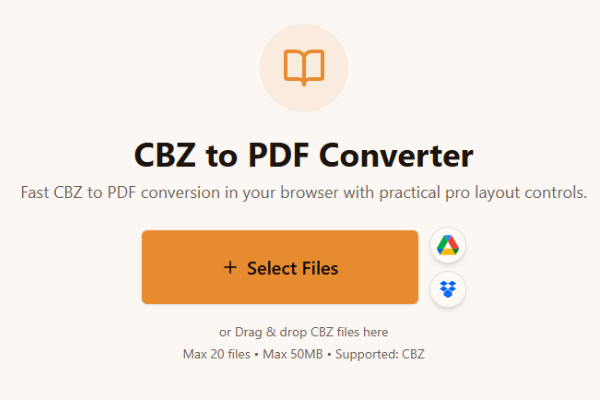
CBZ dosyanızı yükleyin.
Loading tool...
Benzer işler için diğer araçlara göz atın.

TXT to Word
Convert TXT files to Word format

Markdown to Word
Convert Markdown (.md) files to Word DOCX with tables and links

Markdown to HTML
Convert Markdown (.md) to standalone HTML with GFM tables and code blocks

Markdown to PDF
Convert Markdown (.md) to print-ready PDF in your browser

TXT to PDF
Convert TXT files to PDF format with advanced options

IPYNB to PDF
Convert Jupyter notebook (.ipynb) files to PDF

IPYNB to HTML
Convert Jupyter notebook (.ipynb) files to standalone HTML

IPYNB to Python
Export Jupyter notebook (.ipynb) to a .py Python script
Fast CBZ to PDF conversion in your browser with practical pro layout controls.
or Drag & drop CBZ files here
Max 20 files • Max 50MB • Supported: CBZ
How to convert CBZ to PDF
Watch how to turn a CBZ comic archive into a PDF with the Asli Tools CBZ to PDF converter.
CBZ dosyanızı yükleyin, saniyeler içinde PDF'e çevirin ve indirin. Kurulum gerekmez.
Hızlı bir cbz to pdf converter arıyorsanız bu araç, çizgi roman sayfalarını düzenli PDF'e dönüştürmek için idealdir.
CBZ, çizgi roman sayfalarını görüntü dosyaları halinde tutan ZIP tabanlı bir arşiv formatıdır.
Ücretsiz, filigransız, toplu dönüşüm destekli ve sayfa düzeni için gelişmiş seçenekler sunar.
3 adımda tamamlayın:
CBZ dosyanızı yükleyin.
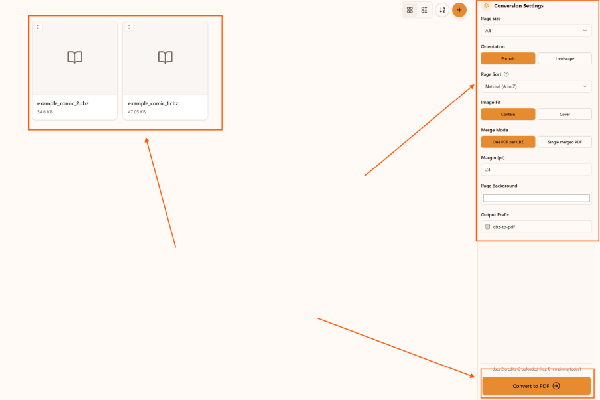
Sayfa boyutu, yön ve sıralamayı seçin.
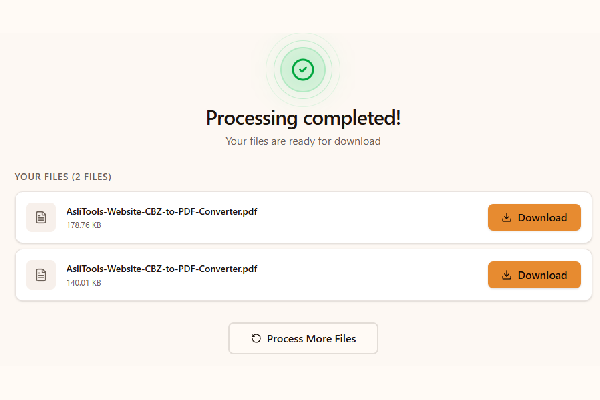
Dönüştür'e basın ve PDF'i indirin.
Upload your CBZ file, choose settings, click Convert, and download the PDF. No installation is required.
Yes. This converter runs fully in your browser, so you can convert cbz to pdf without installing desktop apps.
Yes, it is free to use and does not add watermarks.
Yes. Any modern browser on macOS, Windows, or Linux should work.
Yes. Upload multiple CBZ files and convert them in one run.
Çizgi roman iş akışı için güçlü seçenekler:
Common scenarios include:
Desktop apps can offer advanced workflows, but online tools are faster to start and easier to use across devices. Browser conversion is ideal when you want no-install convenience and a quick result for sharing, archiving, or printing.
For cleaner comic PDFs and better long-term readability:
This tool is built for fast, high-quality CBZ to PDF conversion with controls that matter in real comic workflows.
Upload your CBZ files, convert in one click, and download clean PDFs ready for reading, sharing, or printing.
Have more questions? Don't hesitate to email us:
Çizgi roman sayfalarını içeren ZIP tabanlı arşiv dosyasıdır.
Dosyayı yükleyin, dönüştürün ve PDF'i indirin.
Evet, tamamen ücretsizdir.
Hayır, tarayıcıda çalışır.
Evet, bu akış tarayıcı içinde yerel olarak işlenir.
Evet, birden fazla CBZ dosyası desteklenir.
CBZ ZIP, CBR ise RAR sıkıştırması kullanır.
Evet, sayfa kalitesi korunur.
Bu sayfa CBZ to PDF dönüşümü içindir.
JPG, JPEG, PNG, GIF ve WebP.