
ارفع ملفك
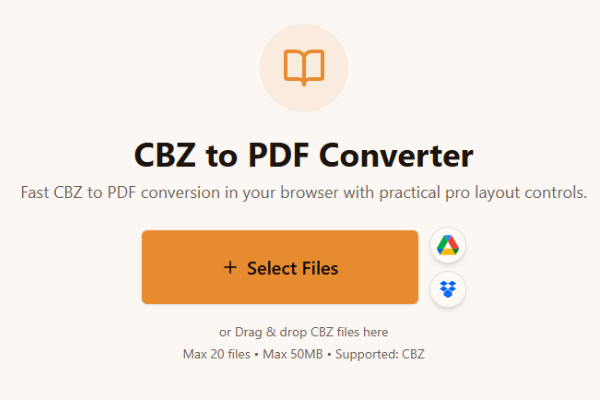
ارفع ملف CBZ.
Loading tool...
استكشف المزيد من الأدوات التي تحل مهامًا مشابهة.

TXT to Word
Convert TXT files to Word format

Markdown to Word
Convert Markdown (.md) files to Word DOCX with tables and links

Markdown to HTML
Convert Markdown (.md) to standalone HTML with GFM tables and code blocks

Markdown to PDF
Convert Markdown (.md) to print-ready PDF in your browser

TXT to PDF
Convert TXT files to PDF format with advanced options

IPYNB to PDF
Convert Jupyter notebook (.ipynb) files to PDF

IPYNB to HTML
Convert Jupyter notebook (.ipynb) files to standalone HTML

IPYNB to Python
Export Jupyter notebook (.ipynb) to a .py Python script
Fast CBZ to PDF conversion in your browser with practical pro layout controls.
or Drag & drop CBZ files here
Max 20 files • Max 50MB • Supported: CBZ
How to convert CBZ to PDF
Watch how to turn a CBZ comic archive into a PDF with the Asli Tools CBZ to PDF converter.
حوّل ملفات CBZ إلى PDF بسرعة من المتصفح بدون تثبيت برامج. يدعم الدفعات ويحافظ على جودة صفحات الكوميك.
إذا كنت تبحث عن cbz to pdf سريع وعملي، فهذه الأداة تقدم تحويلًا مباشرًا داخل المتصفح.
CBZ هو أرشيف ZIP لقصص الكوميك يحتوي غالبًا على صور صفحات مثل JPG وPNG وGIF وWebP.
مجانية، بدون علامة مائية، مع إعدادات صفحة متقدمة وخيار تحويل عدة ملفات دفعة واحدة.
ثلاث خطوات بسيطة:
ارفع ملف CBZ.
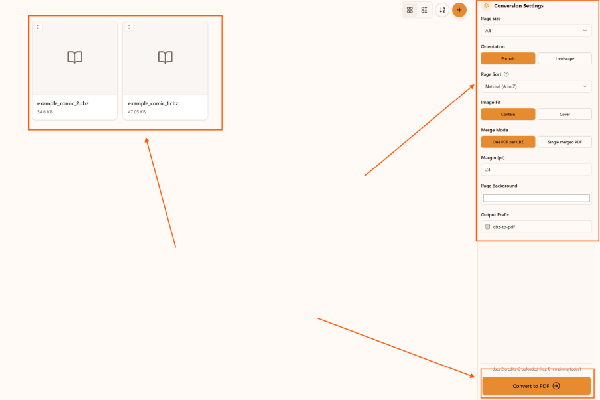
اختر إعدادات الحجم والاتجاه والترتيب.
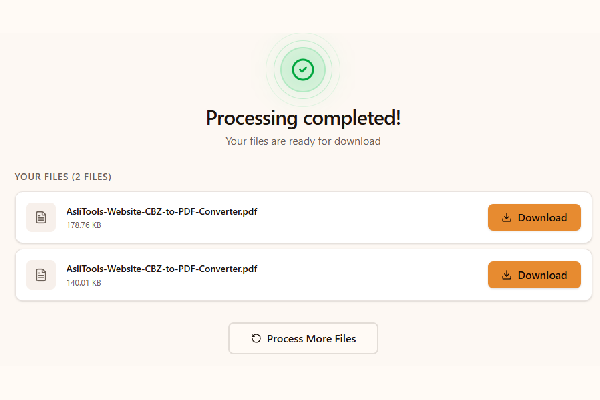
اضغط تحويل ثم نزّل PDF.
Upload your CBZ file, choose settings, click Convert, and download the PDF. No installation is required.
Yes. This converter runs fully in your browser, so you can convert cbz to pdf without installing desktop apps.
Yes, it is free to use and does not add watermarks.
Yes. Any modern browser on macOS, Windows, or Linux should work.
Yes. Upload multiple CBZ files and convert them in one run.
كل ما تحتاجه لتحويل احترافي:
Common scenarios include:
Desktop apps can offer advanced workflows, but online tools are faster to start and easier to use across devices. Browser conversion is ideal when you want no-install convenience and a quick result for sharing, archiving, or printing.
For cleaner comic PDFs and better long-term readability:
This tool is built for fast, high-quality CBZ to PDF conversion with controls that matter in real comic workflows.
Upload your CBZ files, convert in one click, and download clean PDFs ready for reading, sharing, or printing.
Have more questions? Don't hesitate to email us:
صيغة مضغوطة لصور صفحات الكوميك ضمن ملف واحد.
ارفع الملف، اضغط تحويل، ثم حمّل PDF مباشرة.
نعم، مجانية بالكامل.
لا، التحويل يتم داخل المتصفح.
نعم، المعالجة تتم محليًا في هذا المسار.
نعم، يدعم التحويل الدفعي.
CBZ يعتمد ZIP بينما CBR يعتمد RAR.
نعم، يتم الحفاظ على جودة صفحات الكوميك.
هذه الصفحة مخصصة لتحويل CBZ إلى PDF.
JPG وJPEG وPNG وGIF وWebP.