
فایل را بارگذاری کنید
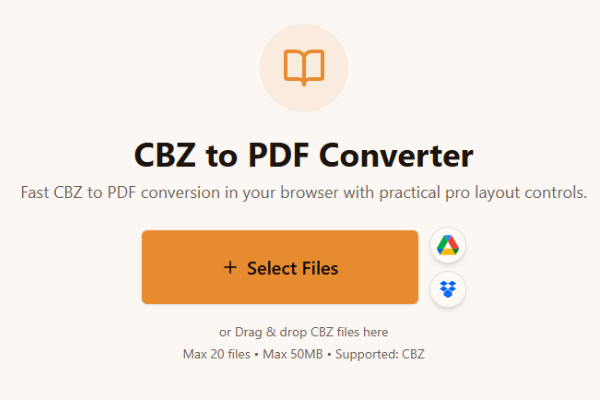
فایل CBZ را آپلود کنید.
Loading tool...
ابزارهای بیشتری را ببینید که کار مشابهی را انجام میدهند.

TXT to Word
Convert TXT files to Word format

Markdown to Word
Convert Markdown (.md) files to Word DOCX with tables and links

Markdown to HTML
Convert Markdown (.md) to standalone HTML with GFM tables and code blocks

Markdown to PDF
Convert Markdown (.md) to print-ready PDF in your browser

TXT to PDF
Convert TXT files to PDF format with advanced options

IPYNB to PDF
Convert Jupyter notebook (.ipynb) files to PDF

IPYNB to HTML
Convert Jupyter notebook (.ipynb) files to standalone HTML

IPYNB to Python
Export Jupyter notebook (.ipynb) to a .py Python script
Fast CBZ to PDF conversion in your browser with practical pro layout controls.
or Drag & drop CBZ files here
Max 20 files • Max 50MB • Supported: CBZ
How to convert CBZ to PDF
Watch how to turn a CBZ comic archive into a PDF with the Asli Tools CBZ to PDF converter.
فایل CBZ را آنلاین به PDF تبدیل کنید. بدون نصب نرمافزار، بدون ثبتنام و با حفظ کیفیت صفحات کمیک.
اگر دنبال cbz to pdf سریع و خصوصی هستید، این ابزار برای شماست. تبدیل داخل مرورگر انجام میشود.
CBZ یک آرشیو ZIP برای کمیک است که معمولاً شامل تصاویر JPG، PNG، GIF یا WebP میشود.
رایگان، بدون واترمارک، پشتیبانی از تبدیل دستهای و تنظیمات حرفهای صفحه برای خروجی PDF.
فقط در سه مرحله:
فایل CBZ را آپلود کنید.
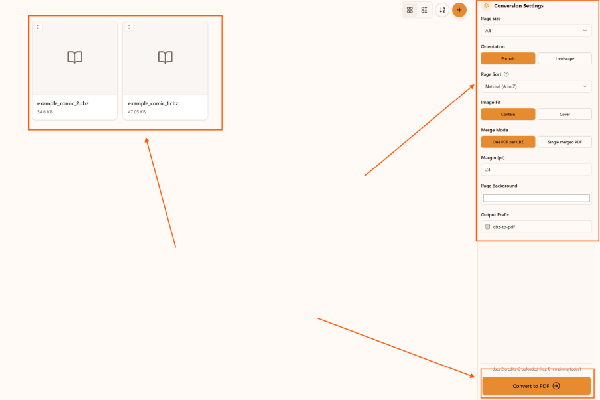
تنظیمات صفحه و ترتیب را انتخاب کنید.
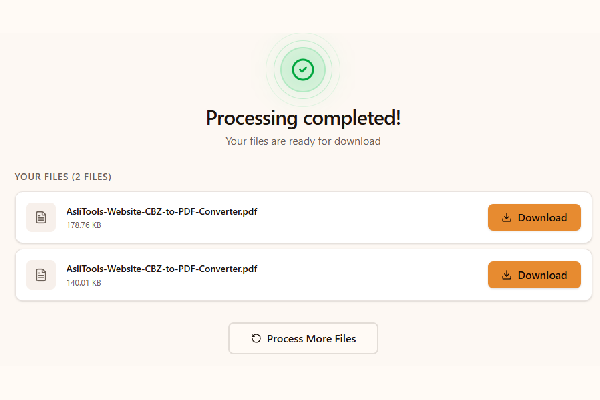
روی تبدیل کلیک کنید و PDF را دانلود کنید.
Upload your CBZ file, choose settings, click Convert, and download the PDF. No installation is required.
Yes. This converter runs fully in your browser, so you can convert cbz to pdf without installing desktop apps.
Yes, it is free to use and does not add watermarks.
Yes. Any modern browser on macOS, Windows, or Linux should work.
Yes. Upload multiple CBZ files and convert them in one run.
امکانات مهم این ابزار:
Common scenarios include:
Desktop apps can offer advanced workflows, but online tools are faster to start and easier to use across devices. Browser conversion is ideal when you want no-install convenience and a quick result for sharing, archiving, or printing.
For cleaner comic PDFs and better long-term readability:
This tool is built for fast, high-quality CBZ to PDF conversion with controls that matter in real comic workflows.
Upload your CBZ files, convert in one click, and download clean PDFs ready for reading, sharing, or printing.
Have more questions? Don't hesitate to email us:
CBZ یک فایل فشرده کمیک است که صفحات تصویری را در خود نگه میدارد.
فایل را آپلود کنید، تبدیل را بزنید و خروجی PDF را دانلود کنید.
بله، کاملاً رایگان است.
خیر، همه چیز در مرورگر انجام میشود.
بله، این جریان تبدیل بهصورت محلی در مرورگر اجرا میشود.
بله، میتوانید چند CBZ را همزمان تبدیل کنید.
CBZ بر پایه ZIP و CBR بر پایه RAR است.
بله، کیفیت صفحات کمیک در خروجی حفظ میشود.
این صفحه مخصوص تبدیل CBZ به PDF است.
JPG، JPEG، PNG، GIF و WebP.