
파일 업로드
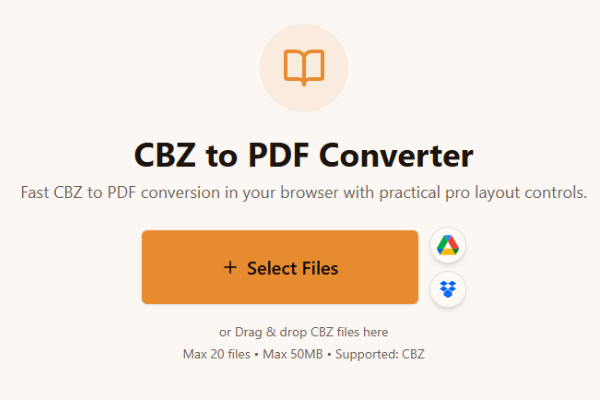
CBZ 파일을 업로드하세요.
Loading tool...
비슷한 작업을 해결하는 다른 도구를 살펴보세요.

TXT to Word
Convert TXT files to Word format

Markdown to Word
Convert Markdown (.md) files to Word DOCX with tables and links

Markdown to HTML
Convert Markdown (.md) to standalone HTML with GFM tables and code blocks

Markdown to PDF
Convert Markdown (.md) to print-ready PDF in your browser

TXT to PDF
Convert TXT files to PDF format with advanced options

IPYNB to PDF
Convert Jupyter notebook (.ipynb) files to PDF

IPYNB to HTML
Convert Jupyter notebook (.ipynb) files to standalone HTML

IPYNB to Python
Export Jupyter notebook (.ipynb) to a .py Python script
Fast CBZ to PDF conversion in your browser with practical pro layout controls.
or Drag & drop CBZ files here
Max 20 files • Max 50MB • Supported: CBZ
How to convert CBZ to PDF
Watch how to turn a CBZ comic archive into a PDF with the Asli Tools CBZ to PDF converter.
CBZ 파일을 업로드하고 빠르게 PDF로 변환하세요. 설치 없이 브라우저에서 바로 사용 가능합니다.
cbz to pdf 변환을 간단하게 처리할 수 있는 실용적인 웹 도구입니다.
CBZ는 만화 페이지 이미지를 ZIP 형태로 묶은 코믹 아카이브 형식입니다.
무료, 무워터마크, 배치 변환 지원, 페이지 정렬/레이아웃 설정 제공.
3단계로 완료됩니다.
CBZ 파일을 업로드하세요.
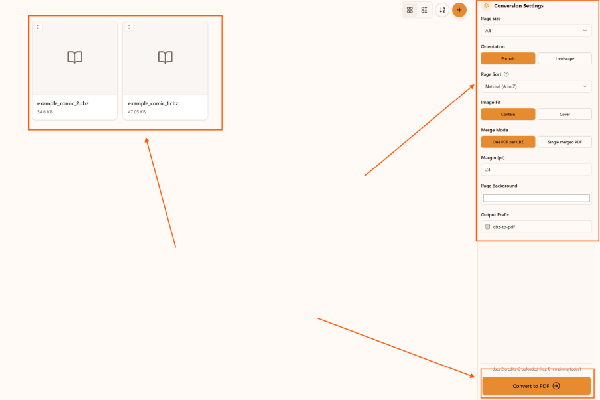
페이지 크기, 방향, 정렬 옵션을 선택하세요.
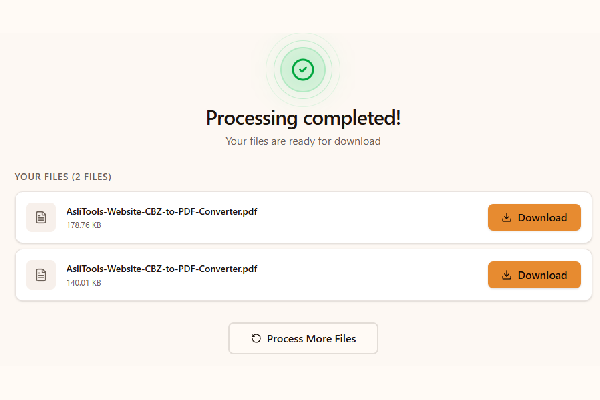
변환 버튼을 눌러 PDF를 다운로드하세요.
Upload your CBZ file, choose settings, click Convert, and download the PDF. No installation is required.
Yes. This converter runs fully in your browser, so you can convert cbz to pdf without installing desktop apps.
Yes, it is free to use and does not add watermarks.
Yes. Any modern browser on macOS, Windows, or Linux should work.
Yes. Upload multiple CBZ files and convert them in one run.
만화 변환에 최적화된 기능:
Common scenarios include:
Desktop apps can offer advanced workflows, but online tools are faster to start and easier to use across devices. Browser conversion is ideal when you want no-install convenience and a quick result for sharing, archiving, or printing.
For cleaner comic PDFs and better long-term readability:
This tool is built for fast, high-quality CBZ to PDF conversion with controls that matter in real comic workflows.
Upload your CBZ files, convert in one click, and download clean PDFs ready for reading, sharing, or printing.
Have more questions? Don't hesitate to email us:
만화 이미지 페이지를 압축해 보관하는 ZIP 기반 형식입니다.
파일 업로드 후 변환 버튼을 누르고 PDF를 받으면 됩니다.
네, 무료입니다.
아니요. 브라우저에서 바로 동작합니다.
네. 이 워크플로우는 브라우저 로컬 처리 방식입니다.
네, 배치 변환을 지원합니다.
CBZ는 ZIP, CBR은 RAR 압축을 사용합니다.
네, 페이지 품질을 유지하도록 변환합니다.
이 페이지는 CBZ to PDF 변환 전용입니다.
JPG, JPEG, PNG, GIF, WebP를 지원합니다.