
Upload your file
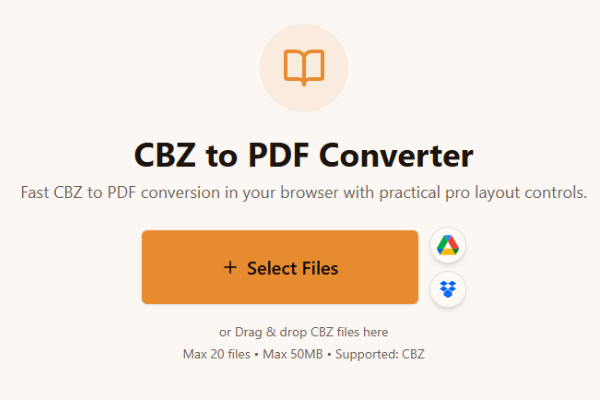
Upload your CBZ files to the CBZ to PDF converter by drag-and-drop or file picker. You can queue multiple comic archives when you batch a series or collection.
Fast CBZ to PDF conversion in your browser with practical pro layout controls.
or Drag & drop CBZ files here
Max 20 files • Max 50MB • Supported: CBZ
How to convert CBZ to PDF
Watch how to turn a CBZ comic archive into a PDF with the Asli Tools CBZ to PDF converter.
Convert CBZ to PDF online free without software. Upload comic CBZ files, keep page order clean, and download high-quality PDF output with no watermark. Works on Mac, Windows, and Linux.
Looking for a reliable cbz to pdf converter that stays fast and simple? This tool converts comic CBZ files directly in your browser with quality-focused output settings and no forced signup.
A CBZ (Comic Book ZIP) file is a compressed comic archive that stores ordered page images such as JPG, PNG, GIF, or WebP inside a ZIP container. Converting CBZ to PDF helps when you need a print-friendly format, easier sharing, or consistent display across general-purpose document viewers.
You get browser-based conversion, page layout controls, batch support, and local processing. That means you can convert cbz to pdf without software installation and with a straightforward workflow suitable for both single issues and larger comic collections.
Follow these simple steps to convert comic CBZ archives into readable PDF documents.
Upload your CBZ files to the CBZ to PDF converter by drag-and-drop or file picker. You can queue multiple comic archives when you batch a series or collection.
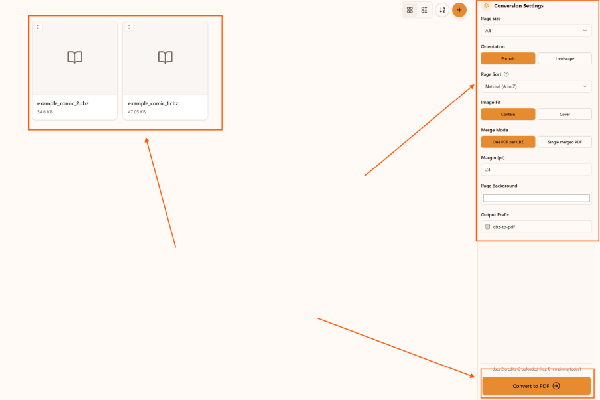
Adjust the output in the CBZ to PDF converter. Choose page size, orientation, margin, sort order, image fit, merge mode, background color, and output prefix before converting.
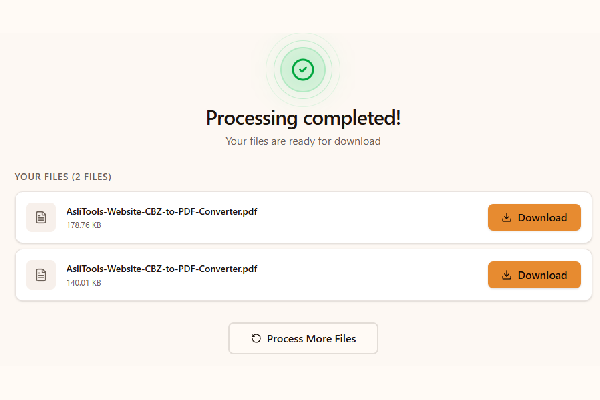
Convert and download with the CBZ to PDF converter. Click Convert to PDF and save each PDF when processing completes. Your CBZ files stay on your device during conversion.
Upload your CBZ file, choose settings, click Convert, and download the PDF. No installation is required.
Yes. This converter runs fully in your browser, so you can convert cbz to pdf without installing desktop apps.
Yes, it is free to use and does not add watermarks.
Yes. Any modern browser on macOS, Windows, or Linux should work.
Yes. Upload multiple CBZ files and convert them in one run.
This CBZ to PDF converter includes practical pro controls for comic workflows:
Common scenarios include:
Desktop apps can offer advanced workflows, but online tools are faster to start and easier to use across devices. Browser conversion is ideal when you want no-install convenience and a quick result for sharing, archiving, or printing.
For cleaner comic PDFs and better long-term readability:
This tool is built for fast, high-quality CBZ to PDF conversion with controls that matter in real comic workflows.
Upload your CBZ files, convert in one click, and download clean PDFs ready for reading, sharing, or printing.
Have more questions? Don't hesitate to email us:
A CBZ (Comic Book ZIP) file is a compressed archive format used to store comic book images. It contains a collection of image files (usually JPG or PNG) zipped together and renamed with the .cbz extension.
Simply upload your CBZ file to our converter tool, click the Convert button, and download your PDF. No software installation or account is required.
Yes, our CBZ to PDF converter is completely free to use online without hidden charges or subscriptions.
No. Our tool works entirely in your browser, no downloads or installations needed.
Yes. Your files are processed in-browser and are not uploaded by this converter workflow.
Yes, batch conversion is supported so you can convert multiple CBZ files in one session.
Both are comic book archive formats. CBZ uses ZIP compression while CBR uses RAR compression. This page is focused on CBZ to PDF conversion.
Yes. The converter preserves source page quality for clear comic pages in the output PDF.
Not on this specific page. For now this tool handles CBZ to PDF conversion.
JPG, JPEG, PNG, GIF, and WebP pages inside CBZ archives are supported.
Explore more tools that solve similar problems and can help with your next task.

TXT to Word
Convert TXT files to Word format

Markdown to Word
Convert Markdown (.md) files to Word DOCX with tables and links

Markdown to HTML
Convert Markdown (.md) to standalone HTML with GFM tables and code blocks

Markdown to PDF
Convert Markdown (.md) to print-ready PDF in your browser

TXT to PDF
Convert TXT files to PDF format with advanced options

IPYNB to PDF
Convert Jupyter notebook (.ipynb) files to PDF

IPYNB to HTML
Convert Jupyter notebook (.ipynb) files to standalone HTML

IPYNB to Python
Export Jupyter notebook (.ipynb) to a .py Python script