
上传文件
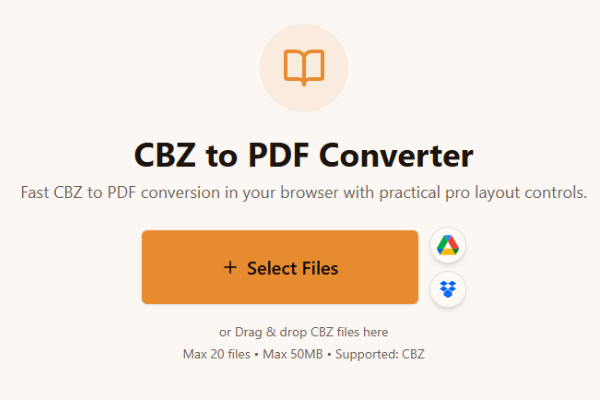
上传一个或多个 CBZ 文件。
Loading tool...
查看能完成类似任务的更多工具。

TXT to Word
Convert TXT files to Word format

Markdown to Word
Convert Markdown (.md) files to Word DOCX with tables and links

Markdown to HTML
Convert Markdown (.md) to standalone HTML with GFM tables and code blocks

Markdown to PDF
Convert Markdown (.md) to print-ready PDF in your browser

TXT to PDF
Convert TXT files to PDF format with advanced options

IPYNB to PDF
Convert Jupyter notebook (.ipynb) files to PDF

IPYNB to HTML
Convert Jupyter notebook (.ipynb) files to standalone HTML

IPYNB to Python
Export Jupyter notebook (.ipynb) to a .py Python script
Fast CBZ to PDF conversion in your browser with practical pro layout controls.
or Drag & drop CBZ files here
Max 20 files • Max 50MB • Supported: CBZ
How to convert CBZ to PDF
Watch how to turn a CBZ comic archive into a PDF with the Asli Tools CBZ to PDF converter.
上传 CBZ 文件,快速转换为 PDF。无需安装软件,无需注册账号。
如果你在找好用的 cbz to pdf 工具,这个页面提供快速、稳定的浏览器内转换体验。
CBZ 是基于 ZIP 的漫画归档格式,通常包含按页顺序排列的图片。
免费、无水印、支持批量转换,并提供页面尺寸和排序等高级选项。
三步完成:
上传一个或多个 CBZ 文件。
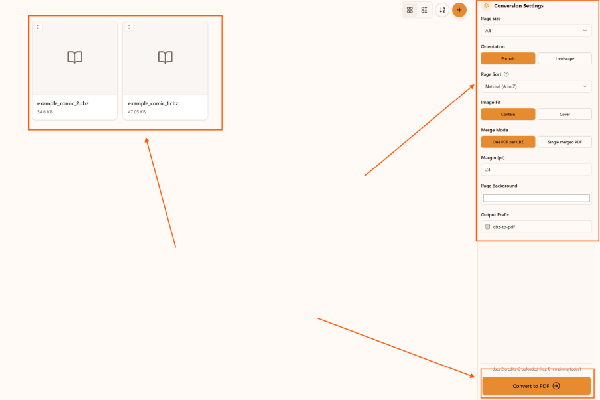
设置页面大小、方向和排序方式。
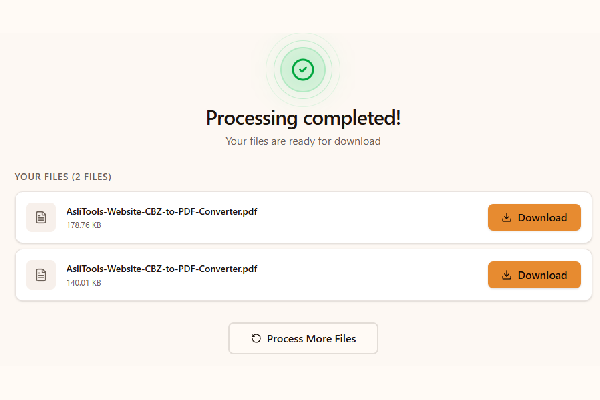
点击转换并下载 PDF。
Upload your CBZ file, choose settings, click Convert, and download the PDF. No installation is required.
Yes. This converter runs fully in your browser, so you can convert cbz to pdf without installing desktop apps.
Yes, it is free to use and does not add watermarks.
Yes. Any modern browser on macOS, Windows, or Linux should work.
Yes. Upload multiple CBZ files and convert them in one run.
为漫画转换场景优化:
Common scenarios include:
Desktop apps can offer advanced workflows, but online tools are faster to start and easier to use across devices. Browser conversion is ideal when you want no-install convenience and a quick result for sharing, archiving, or printing.
For cleaner comic PDFs and better long-term readability:
This tool is built for fast, high-quality CBZ to PDF conversion with controls that matter in real comic workflows.
Upload your CBZ files, convert in one click, and download clean PDFs ready for reading, sharing, or printing.
Have more questions? Don't hesitate to email us:
CBZ 是一种用于存放漫画图片页面的压缩归档格式。
上传 CBZ,点击转换,然后下载 PDF。
是的,完全免费。
不需要,直接在浏览器中使用。
是的,此转换流程在浏览器本地执行。
支持,可一次转换多个 CBZ 文件。
CBZ 使用 ZIP 压缩,CBR 使用 RAR 压缩。
不会,页面质量会尽量保持清晰。
此页面主要提供 CBZ 转 PDF。
支持 JPG、JPEG、PNG、GIF、WebP。